
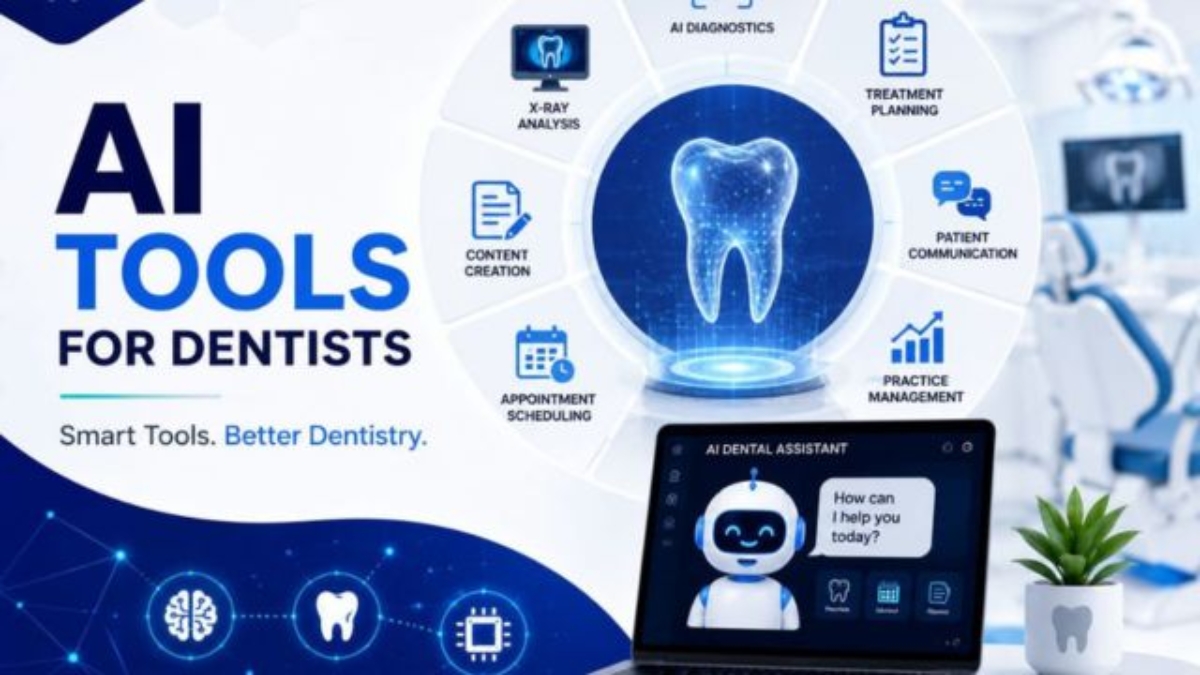
Artificial intelligence is no longer limited to experimental technology or large dental groups. Modern AI tools for dentists can now support patient communication, appointment booking, radiograph analysis, clinical documentation, case presentation, and remote monitoring.5 AI Tools for Modern Dental Offices
However, adopting AI does not mean replacing dentists, hygienists, treatment coordinators, or front-desk teams. The most valuable systems handle repetitive work, organize information, and help staff respond faster. Your team remains responsible for patient relationships, clinical decisions, and quality control.
This is consistent with the Dental Systemic approach: automation should support the team, reduce administrative pressure, and allow staff to focus more attention on patient care.
The challenge is choosing the right tool. A dental office does not need every AI platform on the market. It needs technology that solves a measurable operational or clinical problem.
The following five AI tools cover the most important areas of a modern dental office:
| Tool | Primary Use | Best Suited For |
|---|---|---|
| GoHighLevel | Patient acquisition and workflow automation | General practices, DSOs and multi-location clinics |
| Overjet | Dental radiograph analysis and analytics | Practices focused on diagnosis support and case presentation |
| Pearl | AI-assisted dental imaging interpretation | General dentists and practices improving patient communication |
| Denti.AI | Voice documentation and charting | Dentists and hygienists reducing documentation workload |
| DentalMonitoring | Remote orthodontic monitoring | Orthodontists and practices offering aligner treatment |
1. GoHighLevel:5 AI Tools for Modern Dental Offices AI-Assisted Patient Communication and Practice Automation
GoHighLevel is primarily a CRM and marketing automation platform rather than a dental practice management system. Its value for dental offices comes from its ability to organize leads, automate communication, manage appointment workflows, and follow up with patients across different stages of the patient journey.
What GoHighLevel can help automate
A properly configured dental workflow may include:
- Responding to missed calls with an immediate text message.
- Sending online booking links to new inquiries.
- Following up with leads who asked about treatment but did not schedule.
- Sending appointment confirmations and reminders.
- Reactivating overdue or inactive patients.
- Requesting reviews after completed appointments.
- Tracking leads from inquiry to scheduled consultation.
- Managing communication for multiple clinic locations.
For example, when a prospective implant patient submits a website form, the system can create a contact record, notify the treatment coordinator, send a confirmation message, provide a consultation link, and begin a follow-up sequence if the patient does not schedule.
This is particularly useful for clinics that are generating inquiries but losing them because of slow responses or inconsistent follow-up. Your existing content framework repeatedly identifies missed calls, delayed replies, forgotten follow-ups, and manual booking processes as common revenue leaks.
Best use case in AI Tools for Modern Dental Offices
GoHighLevel is one of the most practical AI tools for dental offices that need to improve the business side of patient acquisition. It is especially relevant when the main problem is not a lack of leads but the clinic’s ability to respond, track, and convert those leads.
Before implementing it, review:
- How it will connect with the existing practice management software.
- Which platform will remain the official patient record.
- Whether duplicate appointments can occur.
- Which messages require staff approval.
- How protected health information will be handled.
- Whether the required compliance agreements and configurations are available.
GoHighLevel should generally complement the practice management system, not replace the clinical record.
You can learn more about this type of workflow in:
- 24/7 AI Receptionist for Dental Bookings
- Integrating GoHighLevel With Open Dental
- Top 10 Features of a Modern Dental CRM
Explore GoHighLevel for dental automation.
Disclosure: The link above may be an affiliate link. Dental practices should independently assess functionality, compliance, integrations, and suitability before purchasing.
2. Overjet: AI-Assisted Dental Radiograph Analysis
Overjet is a dental artificial intelligence platform designed to analyze dental radiographs and help clinicians evaluate oral conditions more consistently.
Depending on the product, market, and approved use, imaging AI may help highlight structures or findings that deserve a clinician’s attention. It can also support communication by giving patients a clearer visual explanation of what the dentist is discussing.
How it can support a dental office
A dentist may review a radiograph using the normal clinical workflow while the AI system provides an additional visual layer. The dentist can then compare the AI output with:
- The patient’s symptoms.
- Clinical examination findings.
- Periodontal measurements.
- Previous radiographs.
- Medical and dental history.
- Professional clinical judgment.
This can be useful during case presentation. Patients sometimes struggle to understand grayscale radiographs. Visual overlays and measurements can make the conversation more understandable, although the dentist must still explain the findings accurately and avoid overstating what the software can determine.
Potential business impact
When used responsibly, radiograph AI may support:
- More standardized image review.
- Clearer patient education.
- Better documentation of findings.
- More structured quality assurance.
- Easier review across multi-location dental groups.
- Identification of cases requiring closer evaluation.
The main value is not that AI “finds treatment.” The value is that it can give clinicians another consistent review layer and help communicate evidence more clearly.
Limitations
Radiograph AI can produce false positives, miss relevant findings, or display information that does not match the full clinical picture. Image quality, positioning, restoration materials, anatomical variations, and previous treatment can affect interpretation.
A licensed clinician must remain responsible for diagnosis and treatment planning. Before adoption, verify the product’s regulatory status, intended use, supported image types, and integration requirements in your jurisdiction.
3. Pearl: Clinical AI for Imaging and Patient Communication
Pearl is another established dental AI platform associated with AI-assisted radiograph analysis. Its tools are designed to support dental professionals as they review images and communicate findings to patients.
Although Pearl and Overjet may appear similar, a dental office should not assume that both are necessary. They may differ in workflow design, integrations, analytics, supported image types, pricing structure, regulatory status, and usability.
Where Pearl may fit
Pearl may be valuable for offices that want to improve:
- Radiograph review consistency.
- Visual case presentation.
- Communication between clinicians.
- Patient understanding of proposed treatment.
- Practice-level review of diagnostic patterns.
A possible workflow could look like this:
- The dental team captures the radiograph.
- The image appears in the normal imaging environment.
- The AI system analyzes the image.
- The dentist reviews the original image and AI output.
- The dentist accepts, rejects, or investigates the highlighted information.
- Relevant findings are discussed with the patient.
- The final diagnosis and clinical notes are completed by the treating clinician.
Overjet or Pearl: which should a clinic choose?
The better choice depends on the practice’s existing technology and objectives. A clinic should conduct a controlled demonstration using representative images and involve the dentists who will use the system.
Compare:
- Compatibility with existing sensors and imaging software.
- Speed of image processing.
- Ease of enabling or disabling overlays.
- Accuracy during practical testing.
- Training requirements.
- Reporting and analytics.
- Data storage and security.
- Contract terms.
- Availability in the clinic’s country.
- Regulatory clearance for the intended clinical use.
Do not select clinical AI solely because its demonstration looks impressive. Test whether it improves the real workflow without creating unnecessary alerts or slowing the dentist down.
4. Denti.AI: Voice Charting and Clinical Documentation
Clinical documentation consumes a considerable amount of time in many dental offices. Dentists and hygienists may need to enter periodontal measurements, write treatment notes, document conversations, and update records while maintaining patient attention.
Denti.AI develops AI-supported dental documentation and voice workflow tools. The exact products available may vary, but this category can help dental teams reduce manual data entry.
Practical applications
Voice-enabled dental tools may support workflows such as:
- Hands-free periodontal charting.
- Capturing clinical measurements.
- Drafting structured clinical notes.
- Converting spoken observations into text.
- Organizing information for staff review.
- Reducing the need for an additional charting assistant.
During periodontal charting, for example, a hygienist may speak measurements while the system enters them into the appropriate fields. This may reduce interruptions and allow the clinician to remain focused on the examination.
Why documentation AI matters
Among the available AI tools for dentists, documentation systems may produce one of the easiest time-saving benefits to measure. The office can compare documentation time before and after implementation without making assumptions about revenue.
Useful measurements include:
- Average charting time per hygiene visit.
- Time required to complete notes after the appointment.
- Percentage of notes completed on the same day.
- Number of corrections required.
- Staff satisfaction.
- Patient-facing time recovered.
Risks and limitations
Voice AI can misunderstand dental terminology, tooth numbers, measurements, medication names, or treatment details. Background noise and different accents may also affect accuracy.
Every chart entry and generated note should be reviewed before it becomes part of the official record. The dentist should never assume that a generated note is complete merely because it sounds professional.
The practice should also establish rules for:
- Who reviews AI-generated documentation.
- How errors are corrected.
- When voice recording is active.
- Whether patient consent is required.
- How audio and transcripts are stored.
- How long information is retained.
- Who can access the generated records.
5. DentalMonitoring: AI for Remote Orthodontic Monitoring
DentalMonitoring is designed primarily for orthodontic and aligner workflows. It allows patients to submit smartphone-based images or scans between office visits so the clinical team can remotely review treatment progress.
AI-supported remote monitoring can help organize patient submissions and identify cases that may require professional review. It does not remove the orthodontist from the process. Instead, it gives the clinical team another way to monitor selected patients between scheduled appointments.
How remote monitoring may work
A typical process may include:
- The orthodontist enrolls an appropriate patient.
- The patient receives instructions for capturing images.
- The patient submits scans at scheduled intervals.
- The system processes the submission.
- The clinical team reviews the information.
- The orthodontist decides whether treatment is progressing appropriately.
- The patient receives instructions or is scheduled for an in-office visit.
Potential benefits
For the right orthodontic practice, remote monitoring may support:
- More frequent visibility into treatment progress.
- Earlier identification of compliance concerns.
- Better communication between appointments.
- Fewer unnecessary progress visits for selected patients.
- More convenient care for patients who live farther away.
- Improved organization of aligner monitoring workflows.
Limitations
Remote images cannot replace every clinical examination. They may not show all oral conditions, radiographic findings, soft-tissue concerns, occlusal issues, or emergencies.
The orthodontist must decide which patients are appropriate for remote monitoring and when an in-person assessment is necessary. Patients also need clear instructions about what the system can and cannot monitor.
Which AI Tool Should a Dental Office Choose First?
There is no universal best AI platform. The best starting point is the office’s most expensive recurring problem.
Choose according to the problem:
| Current Problem | Best Category to Evaluate |
|---|---|
| Missed inquiries and weak follow-up | GoHighLevel |
| Inconsistent radiograph review | Overjet or Pearl |
| Patients struggle to understand X-rays | Overjet or Pearl |
| Clinical documentation takes too long | Denti.AI |
| Too many routine orthodontic monitoring visits | DentalMonitoring |
| No clear lead-to-booking visibility | GoHighLevel |
A general dental office should not purchase two overlapping imaging platforms before proving the value of one. Similarly, an orthodontic monitoring system may provide little benefit to a practice that does not offer orthodontic treatment.
Start with one problem, one workflow, and one measurable goal.
A 30-Day AI Implementation Plan for Dental Offices
Week 1: Audit the Current Workflow
Document how the process works today.
For patient inquiries, record:
- Where inquiries arrive.
- Who responds.
- Average response time.
- What happens after office hours.
- How unbooked leads are followed up.
- Where the contact information is stored.
For clinical AI, document:
- How images or notes are currently reviewed.
- How long the task takes.
- Where errors or delays occur.
- Which team members are involved.
Week 2: Select a Small Pilot
Do not introduce the tool across every department immediately.
Possible pilots include:
- Missed-call text-back for one location.
- AI imaging support for one dentist.
- Voice periodontal charting for one hygienist.
- Remote monitoring for a small group of suitable orthodontic patients.
Define what success will look like before the pilot begins.
Week 3: Train the Team and Test Exceptions
Test normal situations and failure scenarios.
Ask:
- What happens if the patient replies with an emergency?
- What happens when the AI misunderstands a measurement?
- Can staff take over an automated conversation?
- What happens if the software is unavailable?
- Can a dentist easily reject an incorrect AI suggestion?
- Where is the activity recorded?
Week 4: Review the Results
Compare the pilot with the previous workflow.
Relevant metrics may include:
- Inquiry response time.
- Lead-to-appointment conversion.
- Missed-call recovery rate.
- No-show rate.
- Time spent on charting.
- Percentage of notes completed on time.
- Number of AI corrections.
- Patient complaints or confusion.
- Staff time saved.
- Cost per recovered appointment.
Continue only when the system produces a meaningful operational or clinical improvement.
Privacy and Compliance Checklist
Before using AI with patient information, the dental office should understand the complete data flow.
Review:
- Whether the vendor will sign the required data protection or business associate agreements.
- Where patient information is stored.
- Whether information is used to train external models.
- Which employees can access the platform.
- Whether role-based permissions are available.
- How access is logged.
- How information can be deleted or exported.
- Which integrations transfer patient data.
- Whether the system meets local healthcare privacy requirements.
- How patients will be informed when appropriate.
A product should not be described as automatically compliant simply because it offers security features. Compliance depends on the vendor, contract, configuration, staff behavior, integrations, and the clinic’s own procedures. For related guidance, see the Best HIPAA-Compliant CRM Comparison.
Common AI Adoption Mistakes
Automating a broken workflow
AI can make an inefficient process run faster without fixing the underlying problem. Simplify the workflow before automating it.
Purchasing technology without assigning ownership
Every system needs a responsible team member. Someone should monitor results, correct errors, update workflows, and coordinate training.
Sending too many automated messages
Excessive reminders and promotional messages can frustrate patients. Communication should be relevant, appropriately timed, and easy to opt out of where required.
Treating AI output as a final clinical decision
Clinical AI is decision-support technology. Dentists remain responsible for diagnosis, treatment recommendations, documentation, and patient safety.
Ignoring integration requirements
A useful standalone demonstration can become an inefficient daily workflow when staff must copy data between several systems. Integration should be evaluated before signing a long contract.
Frequently Asked Questions
What are the best AI tools for dentists?
The best AI tools for dentists depend on the problem being solved. GoHighLevel is suitable for patient communication and workflow automation. Overjet and Pearl focus on dental imaging support. Denti.AI can assist with documentation and voice charting, while DentalMonitoring is designed for remote orthodontic monitoring.
Can AI diagnose dental conditions?
AI may assist clinicians by analyzing images or organizing clinical information, but it should not independently replace a dentist’s diagnosis. The treating clinician must consider the examination, history, imaging, symptoms, and other relevant information.
Are dental AI tools automatically HIPAA compliant?
No. A platform’s security features alone do not make the entire dental workflow compliant. The clinic must review contracts, data handling, user permissions, integrations, staff procedures, and applicable regulations.
Can a small dental office afford AI?
A small practice can often start with one focused workflow rather than purchasing a complete technology stack. The office should compare the monthly cost with measurable savings, recovered appointments, reduced documentation time, or improved patient conversion.
Will AI replace dental receptionists?
Responsible automation should support receptionists rather than eliminate the human patient experience. AI can handle repetitive messages, reminders, and data organization, while staff manage complex questions, anxious patients, financial discussions, and sensitive situations.
How should a clinic measure AI return on investment?
Measure results before and after implementation. Use operational indicators such as response time, bookings, no-shows, staff hours, documentation time, case acceptance, correction rates, and software costs. Avoid attributing every improvement to AI when other changes occurred during the same period.