
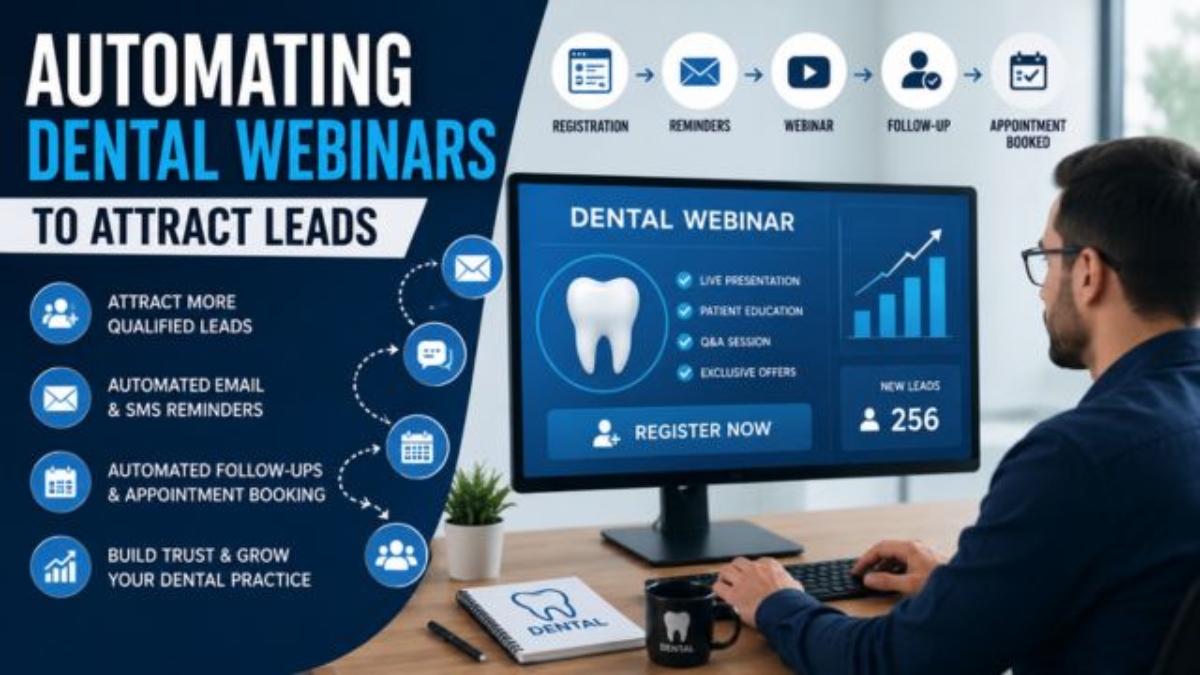

Automating Dental Webinars to Attract Leads
Patient acquisition has become more competitive than ever. Most dental clinics invest in websites, Google Ads, social media, and search engine optimization to generate new patients. While these marketing channels can produce results, they often require continuous spending and ongoing optimization.
Educational webinars provide another effective way to attract potential patients by building trust before asking them to book an appointment. Instead of selling treatments immediately, webinars allow clinics to educate prospects, answer common questions, and demonstrate expertise.
The challenge is that hosting webinars manually can consume significant time. Managing registrations, sending reminders, following up with attendees, and scheduling consultations often becomes overwhelming for busy dental teams.
This is where webinar automation becomes valuable.
With platforms such as GoHighLevel, clinics can automate nearly every step of the webinar process—from registration and reminders to follow-up emails, SMS campaigns, CRM updates, and appointment scheduling. The result is a consistent lead-generation system that operates around the clock while your team focuses on patient care.
In this guide, you’ll learn how dental webinar automation works, why it generates higher-quality leads, and how to build a complete automated webinar funnel for your practice.
Why Educational Webinars Work for Dental Marketing
Patients rarely schedule expensive dental treatments immediately after seeing an advertisement.
Instead, they usually spend time researching:
- Treatment options
- Costs
- Recovery expectations
- Success rates
- The experience of the dentist
- Clinic reputation
Educational webinars answer these questions in one structured presentation.
Rather than trying to convince patients through promotional messaging, webinars provide valuable information that helps prospective patients make informed decisions.
This educational approach naturally builds trust and positions your clinic as an authority in your community.
Examples of successful dental webinar topics include:
- Dental Implant Options Explained
- Invisalign vs Traditional Braces
- Cosmetic Dentistry for Busy Professionals
- How to Prevent Gum Disease
- Dental Care for Children
- Emergency Dental Care: What Every Family Should Know
- Full Smile Makeover Process
- Teeth Whitening: Myths vs Facts
Each webinar attracts people already interested in these treatments, making them significantly more qualified than cold advertising traffic.
What Is Dental Webinar Automation?
Dental webinar automation is the process of using software to manage every stage of a webinar without requiring constant manual work.
Instead of staff members sending reminders, updating spreadsheets, and following up individually, automated workflows handle these repetitive tasks automatically.
A typical webinar automation system includes:
- Registration pages
- Confirmation emails
- SMS reminders
- Calendar invitations
- CRM lead creation
- Automated email sequences
- Attendance tracking
- Follow-up campaigns
- Consultation booking
- Lead scoring
- Reporting dashboards
Once configured, the system continues generating leads every week with minimal staff involvement.
Benefits of Automating Dental Webinars
1. Generate Higher-Quality Leads
People who register for educational webinars already have interest in a particular dental service.
Unlike general website visitors, webinar attendees willingly provide:
- Name
- Phone number
- Treatment interest
These details make future communication much more personalized.
2. Build Trust Before the First Appointment
Dental treatments often involve anxiety.
Patients want reassurance before booking.
A webinar allows your dentist to explain:
- Treatment procedures
- Safety measures
- Expected outcomes
- Recovery timeline
- Frequently asked questions
By the end of the presentation, attendees already feel familiar with your practice.
3. Reduce Manual Administrative Work
Without automation, staff must manually:
- Register attendees
- Send reminder emails
- Text patients
- Answer repetitive questions
- Schedule consultations
- Update CRM records
Automation handles these repetitive processes instantly.
This aligns with the broader goal of reducing administrative workload through smart systems so staff can focus on patient care instead of repetitive tasks. Your own Dental Systemic framework emphasizes solving system problems—not simply increasing staff effort—and using automation to improve patient flow and growth.
4. Increase Appointment Bookings
Most webinar attendees won’t book immediately.
Automation allows clinics to continue nurturing leads through:
- Educational emails
- Success stories
- Patient testimonials
- FAQ content
- Limited-time consultation offers
Consistent follow-up often results in higher conversion rates than a single promotional message.
5. Improve Marketing ROI
Because webinars educate prospects before they speak with your team, consultations are often more productive.
Patients arrive better informed and more prepared to discuss treatment options.
This improves overall marketing efficiency.
Live vs Automated Webinars
There are two primary webinar models.
Live Webinars
Advantages:
- Real-time interaction
- Live Q&A sessions
- Strong engagement
- Builds relationships quickly
Disadvantages:
- Requires scheduling
- Staff availability
- Limited audience capacity
- Difficult to repeat frequently
Evergreen Automated Webinars
Evergreen webinars are pre-recorded presentations that run automatically.
Visitors can register any day of the week.
Benefits include:
- Available 24/7
- Consistent presentation quality
- Unlimited attendance
- Lower staff workload
- Scalable lead generation
Many successful dental clinics use a hybrid approach:
- Monthly live webinars
- Evergreen webinars available year-round
How an Automated Dental Webinar Funnel Works
Below is a simplified automation workflow.
Step 1: Traffic Generation
Potential patients discover your webinar through:
- Google Search
- Facebook Ads
- YouTube
- Blog articles
- Email newsletters
- Local SEO
Step 2: Registration Landing Page
Visitors arrive on a dedicated landing page containing:
- Webinar title
- Benefits
- Speaker information
- Date and time (or on-demand access)
- Registration form
Only essential information should be requested.
Typical fields include:
- First Name
- Email Address
- Mobile Number
Reducing unnecessary form fields usually improves registration rates.
Step 3: CRM Integration
After registration:
The CRM automatically:
- Creates a new contact
- Tags the lead
- Records webinar interest
- Assigns a pipeline stage
- Starts automation
This eliminates manual data entry.
Step 4: Confirmation Sequence
Immediately after registering, attendees receive:
- Confirmation email
- SMS confirmation
- Calendar invitation
- Webinar access link
This immediate response reassures registrants that their registration was successful.
Step 5: Reminder Automation
Many registrants forget webinars.
Automated reminders significantly improve attendance.
A common reminder schedule includes:
- 7 days before
- 3 days before
- 24 hours before
- 2 hours before
- 15 minutes before
Messages can be delivered through:
- SMS
- WhatsApp (where appropriate)
- Push notifications
Step 6: Webinar Attendance Tracking
Modern webinar platforms automatically record:
- Registered attendees
- Live attendees
- Duration watched
- Questions submitted
- Poll responses
- Replay viewers
These engagement signals help identify highly interested prospects for targeted follow-up.
Using GoHighLevel to Automate Your Dental Webinar Funnel
Running a successful webinar involves much more than delivering an informative presentation. The real opportunity lies in what happens before and after the event. Without an organized system, potential patients may forget to attend, fail to schedule a consultation, or lose interest altogether.
GoHighLevel (GHL) enables dental practices to automate these touchpoints within a single platform. Instead of relying on multiple disconnected tools, clinics can manage registrations, communications, follow-ups, appointment scheduling, and reporting from one centralized dashboard.
A typical automated workflow may include:
- Webinar registration captured through a landing page
- Instant confirmation via email and SMS
- Reminder sequence before the webinar
- Attendance tracking
- Post-webinar follow-up campaigns
- Online consultation booking
- Pipeline updates for every lead
This connected approach creates a smoother experience for both the patient and the practice.
Designing a High-Converting Webinar Registration Page
The registration page is often the first interaction a prospective patient has with your webinar. Its purpose is not to explain every detail but to clearly communicate the value of attending.
An effective registration page should answer four questions immediately:
What will attendees learn?
Clearly outline the educational outcomes instead of promoting treatments.
For example:
- Understand the dental implant process
- Learn who qualifies for Invisalign
- Discover how cosmetic dentistry can improve your smile
- Explore options for replacing missing teeth
Who is presenting?
Introduce the dentist or speaker with a short professional biography, including relevant experience, certifications, or areas of expertise.
When is the webinar?
Display the date, time, and expected duration prominently.
If the webinar is available on demand, explain that participants can watch it at their convenience.
What should visitors do next?
Use one primary call-to-action, such as:
Reserve Your Free Seat
Avoid placing multiple competing buttons on the page, as they can reduce conversion rates.
Segmenting Webinar Leads for Better Follow-Up
Not every webinar registrant has the same needs.
Segmenting leads allows your follow-up messages to become more relevant and personalized.
Useful segmentation categories include:
Treatment Interest
Examples include:
- Dental implants
- Invisalign
- Cosmetic dentistry
- Emergency dentistry
- Family dentistry
New vs Existing Patients
Existing patients may respond well to educational updates, while new leads often require additional trust-building content.
Attendance Status
Separate contacts into groups such as:
- Registered but did not attend
- Attended live
- Watched the replay
- Requested a consultation
- Booked an appointment
Each group should receive communication tailored to their level of engagement.
Building an Automated Email Nurture Sequence
Many dental clinics make the mistake of sending only one follow-up email after a webinar.
Effective lead nurturing is an ongoing process that delivers helpful information over several days.
A simple sequence might include:
Email 1 – Thank You
Send within one hour after the webinar.
Include:
- Appreciation for attending
- Replay link
- Presentation resources
- Contact information
Email 2 – Frequently Asked Questions
Address common concerns such as:
- Recovery time
- Treatment costs
- Financing options
- Candidate eligibility
Reducing uncertainty encourages prospects to take the next step.
Email 3 – Patient Success Story
Share a real patient experience (with appropriate consent).
Focus on:
- The patient’s initial concern
- The recommended treatment
- The outcome
- Lessons for future patients
Authentic stories often build more confidence than promotional claims.
Email 4 – Consultation Invitation
Invite readers to schedule a consultation without creating unnecessary pressure.
Highlight the benefits of discussing their specific needs with the dental team.
Enhancing Engagement with SMS Automation
Email remains important, but SMS often achieves faster response rates.
Strategic text messaging can improve both webinar attendance and appointment bookings.
Examples include:
- Registration confirmation
- Reminder one day before the webinar
- Reminder one hour before the event
- Thank-you message after attendance
- Consultation invitation
Messages should remain concise, informative, and respectful of the recipient’s communication preferences.
Using AI to Improve Webinar Follow-Up
Artificial intelligence can support dental practices by making follow-up communication more efficient and personalized.
AI can assist with:
- Drafting personalized email responses
- Summarizing webinar questions
- Categorizing leads based on interest
- Suggesting follow-up content
- Prioritizing high-intent prospects
AI should support—not replace—professional clinical communication. Any treatment recommendations should always come from qualified dental professionals.
Automating Consultation Scheduling
Once someone expresses interest after the webinar, the booking process should be as simple as possible.
Modern scheduling systems allow patients to:
- View available appointment times
- Select a preferred dentist
- Complete intake forms
- Receive instant confirmation
- Automatically receive reminders
Reducing unnecessary back-and-forth communication improves the patient experience while lowering administrative workload.
Integrating Webinar Leads into Your CRM
A Customer Relationship Management (CRM) system becomes far more valuable when every webinar interaction is recorded automatically.
Useful information includes:
- Registration date
- Webinar topic
- Attendance status
- Questions submitted
- Appointment history
- Communication history
- Treatment interest
- Lead source
Having this information readily available helps your team provide more personalized conversations during consultations.
Measuring Webinar Performance
Tracking the right metrics helps determine whether your webinar strategy is generating qualified leads.
Important performance indicators include:
| Metric | Why It Matters |
|---|---|
| Registration Rate | Measures landing page effectiveness |
| Attendance Rate | Indicates reminder performance |
| Replay Views | Shows continued interest |
| Consultation Requests | Reflects lead quality |
| Appointment Bookings | Measures conversion success |
| Cost Per Lead | Evaluates marketing efficiency |
| Cost Per Appointment | Helps optimize advertising spend |
| Patient Conversion Rate | Measures long-term business impact |
Reviewing these metrics regularly allows clinics to identify opportunities for improvement rather than relying on assumptions.
Privacy and Compliance Considerations
When collecting webinar registrations, dental practices should respect applicable privacy regulations in their jurisdiction.
Good practices include:
- Explaining how contact information will be used
- Obtaining consent for marketing communications where required
- Securing patient data appropriately
- Providing an easy way to unsubscribe from future emails
- Limiting access to sensitive information within the practice
Maintaining transparent data practices helps build long-term trust with prospective patients.
Common Mistakes to Avoid
Even well-designed webinars can underperform if the surrounding process is weak.
Some of the most common mistakes include:
- Choosing overly promotional webinar topics instead of educational ones
- Asking for too much information during registration
- Failing to send reminder messages
- Not offering a replay for those who miss the live session
- Ignoring attendee questions after the webinar
- Delaying follow-up communication
- Using generic messaging instead of personalized communication
- Neglecting to analyze webinar performance metrics
Avoiding these issues can significantly improve the effectiveness of your webinar strategy.
Best Practices for Long-Term Success
Dental webinar automation should be viewed as an ongoing system rather than a one-time campaign.
Practices that consistently achieve strong results often:
- Host webinars on topics patients actively search for
- Update presentation content regularly
- Collect attendee feedback after each session
- Test different registration page designs
- Improve email subject lines through A/B testing
- Monitor conversion metrics monthly
- Continuously refine follow-up workflows based on patient behavior
Small, consistent improvements often produce better long-term outcomes than frequent major changes.
Turning Webinar Attendees into Long-Term Patients
A successful webinar should not be viewed as the finish line—it should be the beginning of a lasting relationship with potential patients. While some attendees may schedule an appointment immediately, many need additional time before making a treatment decision.
Rather than ending communication after the webinar, create a long-term nurturing strategy that continues delivering value. Educational content, oral health tips, treatment updates, and patient success stories can keep your practice top of mind until the prospect is ready to move forward.
Consistent communication builds familiarity, and familiarity builds trust.
A Complete Automated Webinar Workflow
An effective dental webinar system follows a structured workflow that minimizes manual tasks while maximizing patient engagement.
Stage 1: Patient Discovery
Potential patients discover your webinar through:
- Organic Google Search
- Blog articles
- Local SEO
- Facebook and Instagram campaigns
- LinkedIn posts
- Email newsletters
- YouTube videos
- QR codes in the clinic
Stage 2: Registration
Visitors complete a simple registration form.
The automation system instantly:
- Creates a CRM contact
- Applies relevant tags
- Assigns the lead to a pipeline
- Sends confirmation emails
- Delivers SMS confirmations
- Adds calendar invitations
Everything happens automatically within seconds.
Stage 3: Pre-Webinar Engagement
Rather than waiting until webinar day, continue building excitement with helpful content such as:
- Speaker introductions
- Treatment preparation guides
- Frequently asked questions
- Short educational videos
- Patient testimonials
- Reminder messages
This increases attendance while strengthening trust before the presentation begins.
Stage 4: Webinar Delivery
During the webinar, encourage participation through interactive features such as:
- Live questions
- Polls
- Chat discussions
- Downloadable resources
- Educational checklists
Interactive sessions generally create stronger engagement than one-way presentations.
Stage 5: Post-Webinar Automation
Immediately after the webinar, automation can trigger:
- Replay access
- Thank-you emails
- Educational resources
- Consultation invitations
- Satisfaction surveys
- Follow-up reminders
Instead of relying on memory, every attendee receives a consistent experience.
Lead Scoring for Better Prioritization
Not every webinar attendee is equally ready to book treatment.
Lead scoring helps identify which prospects are most engaged by assigning points based on their actions.
Examples include:
| Action | Suggested Score |
|---|---|
| Registered for webinar | +10 |
| Attended live | +20 |
| Stayed until the end | +20 |
| Asked a question | +15 |
| Downloaded a guide | +10 |
| Clicked consultation link | +25 |
| Requested an appointment | +50 |
Higher-scoring leads can be prioritized for personal outreach, allowing your team to focus on the most qualified opportunities.
Repurposing Webinar Content for More Leads
A single webinar can generate valuable content for months.
Instead of using it once, repurpose the material into multiple marketing assets, including:
- Blog articles
- YouTube videos
- Short-form social media clips
- LinkedIn posts
- Facebook content
- Email newsletters
- Infographics
- Downloadable checklists
- FAQ pages
- Patient guides
This strategy extends the value of every webinar while improving your content marketing efforts.
Using Webinar Data to Improve Future Campaigns
Every webinar provides valuable insights.
Review information such as:
- Which traffic sources generated the most registrations
- Which reminder messages achieved the highest attendance
- Which topics generated the most questions
- Which call-to-action produced the most bookings
- Which email subject lines achieved the highest open rates
These insights allow you to make data-driven improvements instead of relying on guesswork.
Calculating Webinar Return on Investment (ROI)
Understanding your webinar ROI helps determine whether your strategy is delivering meaningful business value.
A simple calculation includes:
Costs
- Advertising
- Webinar software
- CRM platform
- Staff preparation time
- Graphic design
- Content creation
Revenue
- New patient appointments
- Treatment acceptance
- Hygiene visits
- Cosmetic procedures
- Implant cases
- Long-term patient value
For example:
- 150 webinar registrations
- 90 attendees
- 25 consultation bookings
- 12 new patients
- Average treatment value: $2,000
Even one educational webinar can generate significant long-term value when supported by effective follow-up and patient care.
Scaling Your Webinar Strategy
Once one webinar performs well, build a complete educational webinar library.
Possible topics include:
- Dental Implant Basics
- Invisalign Treatment Explained
- Teeth Whitening Options
- Smile Makeover Planning
- Children’s Oral Health
- Preventing Gum Disease
- Dental Anxiety Solutions
- Emergency Dental Care
- Full Mouth Rehabilitation
- Preventive Dentistry
Evergreen webinars allow your practice to educate prospective patients throughout the year without repeating the same live presentation.
Webinar Automation Implementation Checklist
Before launching your next webinar, confirm that you have completed the following:
- □ Defined a clear educational topic
- □ Built a dedicated registration page
- □ Connected your CRM
- □ Configured email automation
- □ Created SMS reminder campaigns
- □ Tested webinar access links
- □ Prepared downloadable resources
- □ Added consultation booking links
- □ Built post-webinar follow-up workflows
- □ Reviewed reporting dashboards
- □ Tested every automation before launch
A thorough checklist helps reduce errors and ensures a smoother experience for both patients and staff.
Frequently Asked Questions
Are automated webinars suitable for small dental clinics?
Yes. Small practices often benefit the most because automation reduces repetitive administrative work while helping them compete with larger clinics.
Should webinars replace traditional consultations?
No. Webinars are educational tools designed to build trust and answer common questions. Individual diagnosis and treatment recommendations should always be provided during a professional consultation.
How often should a dental practice host webinars?
Many practices begin with one webinar each month. As content grows, evergreen webinars can continue generating leads between live events.
Can existing patients attend webinars?
Absolutely. Educational webinars strengthen patient relationships, encourage preventive care, and introduce additional treatment options that may benefit existing patients.
What is the ideal webinar length?
Most educational dental webinars perform well when they last between 30 and 60 minutes, depending on the complexity of the topic and the amount of audience interaction.
Conclusion
Educational webinars are one of the most effective ways for dental practices to attract qualified leads while demonstrating expertise and building patient trust. When combined with automation, they become far more than one-time events—they become repeatable systems that consistently nurture prospects from initial interest to scheduled consultation.
By automating registration, reminders, CRM updates, follow-up communications, and appointment scheduling, your team spends less time on repetitive administrative tasks and more time delivering exceptional patient care. Automation also creates a more consistent patient experience, reducing missed opportunities and helping practices grow in a structured, measurable way.
Rather than focusing solely on generating more traffic, successful clinics optimize how they engage with the leads they already attract. A well-designed webinar funnel supported by intelligent automation can improve marketing efficiency, strengthen patient relationships, and create a predictable source of new appointments.
Related Articles
To learn more about dental automation, you may also find these topics helpful:
- AI Dental Receptionist: 24/7 Booking System
- Dental Consultation Automation via GoHighLevel
- Using Voice AI for Dental Appointment Booking
- Machine Learning for Dental Patient Analytics
- How to Use GHL Surveys for Dental Leads
- Manual vs Automation: Which Brings More Dental Patients?
- Virtual Dental Consultation Automation
- Cyber Security for Dental Patient Data in 2026
Helpful Resources
- GoHighLevel: https://www.gohighlevel.com?fp_ref=saleem31&fp_sid=dentalai
- American Dental Association: https://www.ada.org
- Centers for Disease Control and Prevention – Oral Health: https://www.cdc.gov/oralhealth
- National Institute of Dental and Craniofacial Research: https://www.nidcr.nih.gov